Finger Painting
Game Overview
Paint Your World—One Touch at a Time!
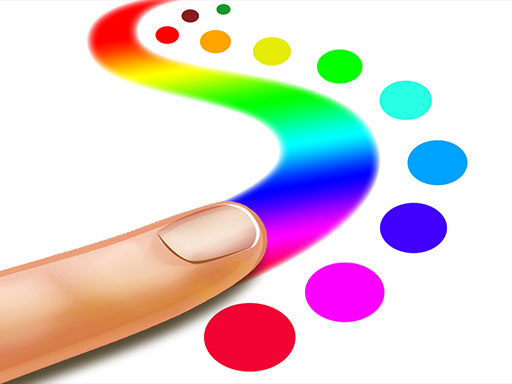
What if your fingertips were brushes, your screen a canvas, and every swipe a burst of pure, unfiltered creativity? Meet Finger Painting—not just another coloring app, but a joyful, tactile celebration of making art with zero barriers, zero rules, and endless color.
Finger Painting reimagines digital painting for the youngest artists—and the young at heart. Built from the ground up for intuitive, joyful interaction, it transforms smartphones and tablets into vibrant studios where toddlers can swirl rainbows with a single tap, and older kids can layer textures, blend hues, and build intricate scenes using multi-touch gestures. There’s no tutorial to memorize, no pressure to “get it right”—just the immediate, satisfying feedback of pigment blooming under your touch, like real finger paint smeared across paper, but infinitely more forgiving and infinitely more fun.
At its core, Finger Painting is about doing, not deciding. You choose a mode—free-draw, guided coloring pages, or experimental “magic brush” tools—then dive in: drag to sketch bold outlines, dab to stamp stars or splatters, press and hold to fill shapes, or sweep two fingers to blur and soften edges. The loop is beautifully simple: create → admire → tweak → save → share. There’s no scoring, no timers, no failure state—only the quiet thrill of watching an idea take shape, stroke by stroke.
- True-to-life finger painting physics, with responsive flow, subtle blending, and satisfying “wet-on-wet” texture simulation
- Dual-input flexibility: seamless switching between single-touch precision and expressive multi-touch gestures (think smearing, swirling, or filling large areas)
- Rich, kid-optimized palette: 24+ vibrant, high-contrast colors plus “magic” modes that add glitter, glow, or animated sparkles on contact
- Instant gallery & one-tap saving: every masterpiece auto-saves with date stamps, and exports as crisp PNGs—perfect for proud parents to print or share
- Calm, immersive audio design: gentle chimes, soft brush swishes, and ambient tones that enhance focus without distraction
You’ll love Finger Painting if you believe creativity shouldn’t require instruction manuals—or if you’re a parent craving screen time that feels more like playtime than passive scrolling. It’s ideal for curious preschoolers discovering cause-and-effect, kindergarteners building fine motor control, or even adults unwinding with mindful, analog-style expression. There’s no “right way” to use it—just the freedom to explore, experiment, and feel the quiet pride of making something wholly your own.
Download Finger Painting now—and let your fingers do the talking.
How to Play
How to Play Finger Painting: Your Complete First-Time Guide
Welcome! You don’t need brushes, canvases, or prior art experience—just your finger and a little curiosity. Finger Painting is designed so that within seconds of opening the app, you can make your first mark, choose your first color, and feel the joy of creation. There’s no “wrong” way to start, no levels to unlock before playing, and no pressure—just pure, open-ended expression. Let’s get your fingers moving!
1. Your Mission: The Objective
Your only goal is to explore, experiment, and express yourself freely. There are no points to earn, no timers to beat, and no tasks to complete—just the quiet satisfaction of drawing a line, filling a shape with color, or watching paint blend under your fingertip. Every stroke builds confidence, every choice deepens engagement, and every saved artwork becomes a joyful milestone.
2. Taking Command: The Controls
Disclaimer: These are the standard controls for this type of game on mobile. The actual controls may be slightly different.
| Action / Purpose | Key(s) / Gesture |
|---|---|
| Select Color | Tap any color swatch on the palette bar (usually at the bottom or side) |
| Draw or Paint | Drag your finger across the canvas—line thickness and flow respond naturally to speed and pressure |
| Erase | Tap the eraser icon, then drag over unwanted marks (works like a soft brush) |
| Switch Tools | Tap icons for brush, fill bucket, stamp, or finger-smudge—each changes how your touch interacts with the canvas |
3. Reading the Battlefield: Your Screen (HUD)
- Color Palette Bar: Located along the bottom or side edge, it holds all available colors. Tapping one instantly sets your active color—no menus, no delays. It’s always visible so you never lose momentum.
- Tool Selector Strip: A row of intuitive icons (brush, bucket, eraser, etc.) just above or beside the palette. This is where you choose how to interact with the canvas—and switching tools takes one tap.
- Canvas Area: The large central space—your blank page. It responds instantly to touch, supports multi-touch (e.g., two fingers to zoom or rotate), and preserves smooth, lag-free strokes even during rapid movement.
- Action Buttons (Save / New / Undo): Typically in the top corners—small but always accessible. These let you preserve your work, start fresh, or reverse a misstep without breaking flow or leaving the creative zone.
4. The Rules of the World: Core Mechanics
- Touch Responsiveness: “The moment your finger touches the screen, paint appears—no hold time, no activation delay. Lift your finger, and the stroke stops. This direct cause-and-effect builds immediate trust between intention and outcome.”
- Layered Painting Behavior: “Colors mix realistically when overlaid—drag blue over yellow to see green emerge. Press longer in one spot to build richer saturation; slide quickly for lighter washes. This mimics real finger painting physics, making exploration feel tactile and intuitive.”
- Non-Destructive Editing: “Every action (except clearing the canvas) is reversible with one tap of Undo. You can also save multiple versions of a piece, so experimentation carries zero risk—only reward.”
Who Should Play
Players who enjoy tactile, intuitive creative expression—especially those drawn to immediate visual feedback and playful experimentation—would find Finger Painting appealing. It suits casual artists, design hobbyists exploring loose sketching, and anyone seeking low-pressure, meditative mark-making without technical barriers. Its multi-touch support and varied brush behaviors also attract users who like subtle physical interaction with digital tools—think educators demonstrating color mixing or designers testing quick ideation gestures. However, players expecting precision tools (e.g., layers, vector paths, or undo history), fine-grained control, or structured art instruction may quickly feel limited. The emphasis on spontaneity over refinement means it’s less ideal for those focused on polished output or learning formal techniques. Ultimately, Finger Painting thrives as a joyful, sensory-first sandbox—not a studio-grade application.
Why Play Here
The Definitive Finger Painting Experience: Why You Belong Here
We don’t build platforms for metrics—we build them for moments. For the quiet awe in a child’s eyes when color blooms under their fingertip. For the unselfconscious grin as a wobbly sun transforms into something unmistakably theirs. {Finger Painting} isn’t just another app—it’s a rare, unguarded space where creativity breathes without instruction, judgment, or interruption. And on our platform, we’ve removed every possible reason why that moment shouldn’t begin—now, with zero hesitation, zero compromise, and zero doubt.
1. Reclaim Your Time: The Joy of Instant Play
Your attention is sacred—not a resource to be optimized, but a gift you choose to give. When a child reaches for a tablet, or a parent wants five minutes of shared calm, waiting is betrayal. We treat that urgency with reverence. That’s why every game—including {Finger Painting}—loads instantly in your browser: no app store detours, no storage warnings, no “updating” screens stealing precious seconds. Just tap, touch, and go. This is our promise: when you want to play {Finger Painting}, you're in the game in seconds. No friction, just pure, immediate fun.
2. Honest Fun: The Zero-Pressure Promise
There’s no such thing as “free” if it comes with bait-and-switch mechanics, forced ads between brushstrokes, or locked palettes disguised as “premium features.” Real freedom means creative autonomy—especially for kids learning what it feels like to make something just because it delights them. Our platform hosts {Finger Painting} as a fully open experience: all colors, all tools, all modes—available from the first touch. Dive deep into every level and strategy of {Finger Painting} with complete peace of mind. Our platform is free, and always will be. No strings, no surprises, just honest-to-goodness entertainment.
3. Play with Confidence: Our Commitment to a Fair & Secure Field
Safety isn’t a feature—it’s the foundation. For young players, that means no data harvesting, no unintended external links, no ambient noise from unvetted third-party scripts. For families, it means knowing that every pixel drawn in {Finger Painting} stays private unless they choose to save or share it. We enforce strict privacy-by-design standards, block behavioral tracking at the infrastructure level, and maintain zero-tolerance moderation for anything that disrupts trust. Chase that top spot on the {Finger Painting} leaderboard knowing it's a true test of skill. We build the secure, fair playground, so you can focus on building your legacy.
4. Respect for the Player: A Curated, Quality-First World
We say “no” often—so you never have to. No filler games disguised as content. No auto-played videos masquerading as engagement. No cluttered UIs competing with the canvas. {Finger Painting} lives here not because it fits a category tag, but because it embodies what we stand for: intuitive design, tactile joy, and quiet respect for the player’s imagination. You won't find thousands of cloned games here. We feature {Finger Painting} because we believe it's an exceptional game worth your time. That's our curatorial promise: less noise, more of the quality you deserve.
Editor’s Opinion
We found Finger Painting genuinely charming for its tactile immediacy—kids grasp the concept instantly, and the responsive, smear-friendly paint behaves like real pigment on paper, which is rare in digital art apps. The single- and multi-touch modes work smoothly, letting little ones layer colors or scribble with both hands without lag. That authenticity fosters real creative confidence. However, the interface leans heavily on unstructured freedom: there’s no guided mode, templates, or even basic shape tools—so younger players often lose focus or accidentally erase large sections with stray swipes. We also noticed sound effects, while playful, can’t be muted independently from music, which disrupts classroom or quiet-home use. Still, as a pure, no-barrier entry point to mark-making, it succeeds where many “educational” drawing apps overcomplicate. It’s not about precision—it’s about joy in motion, pressure, and color mixing under the fingertip. A thoughtful update adding gentle scaffolding would elevate it significantly.
Short Analysis
Finger Painting excels in short sessions: its immediate tactile feedback—color appearing with the first finger drag—creates instant gratification, ideal for 80–100 second bursts. There’s no setup, no menus to navigate; users tap and paint. The lack of goals or scoring paradoxically boosts replayability—each session is a self-contained act of sensory exploration, not progression. Kids return not to “complete” something, but to re-experience the joy of smearing cerulean across a blank canvas or layering magenta over yellow to watch it shift. Multi-touch support allows quick gestural flourishes (swipes, taps, palm smudges), enabling expressive variety without complexity. No save friction means sessions end cleanly—no pressure to finish a piece—making it uniquely suited to fragmented attention spans.